

Category: Artificial Intelligence | Productivity | Digital Transformation
Reading Time: 12–15 minutes
Introduction: The New Era of Practical Productivity
Artificial Intelligence (AI) is changing how individuals, professionals, entrepreneurs, and organizations approach everyday work. Tasks that once required hours of manual effort—writing reports, analyzing spreadsheets, organizing documents, preparing presentations, researching information, and managing repetitive workflows—can now be completed more efficiently with the help of AI-powered tools.
However, the real value of AI is not simply its ability to generate text, create images, or answer questions. Its greatest potential lies in practical productivity: using intelligent technology to solve real problems, reduce unnecessary work, improve decision-making, and create more time for meaningful activities.
From students preparing assignments to businesses managing complex operations, AI tools are becoming valuable assistants across a wide range of industries.
The key is knowing which tools to use, how to integrate them into existing workflows, and when human judgment remains essential.
In this comprehensive guide, we explore the most useful categories of AI productivity tools, practical applications, real-world workflows, implementation strategies, and the future of intelligent work.
1. What Are AI Productivity Tools?
AI productivity tools are software applications that use technologies such as machine learning, natural language processing, computer vision, speech recognition, and generative AI to help people complete tasks more effectively.
Unlike traditional software that primarily follows predefined instructions, many AI-powered applications can interpret natural-language requests, identify patterns, summarize information, generate content, and assist with multistep tasks.
For example, instead of manually reviewing a 100-page document, you might use an AI assistant to summarize its key findings, identify important sections, and answer questions about its contents.
Instead of building a report from scratch, you could use AI to organize your notes into a structured draft that you then review and refine.
Common capabilities of AI productivity tools
- Content creation: Draft articles, emails, reports, proposals, and marketing materials.
- Research and summarization: Condense lengthy documents and organize information.
- Data analysis: Identify trends, explain calculations, and assist with spreadsheet analysis.
- Task management: Organize priorities, create plans, and summarize project discussions.
- Document intelligence: Extract information from PDFs, scanned documents, and other files.
- Automation: Reduce repetitive administrative work and connect different applications.
- Communication: Transcribe meetings, summarize conversations, and improve written communication.
- Software development: Generate code, explain errors, and assist with testing and documentation.
- Visual creation: Develop illustrations, diagrams, design concepts, and presentation assets.
The most effective approach is to select tools according to the problem you want to solve rather than adopting AI simply because it is popular.
Practical principle: Start with a repetitive or time-consuming task, identify the steps that can be assisted by AI, and measure whether the resulting workflow is genuinely better.
2. The AI Productivity Toolkit: Tools Worth Knowing
AI productivity is an ecosystem rather than a single application. Different tools specialize in different types of work, and the best solution often involves combining a few complementary capabilities.
2.1 AI Assistants for Writing, Thinking, and Problem-Solving
General-purpose AI assistants can help users brainstorm ideas, explain unfamiliar topics, draft content, organize information, and solve problems.
Examples include:
- ChatGPT
- Google Gemini
- Claude
- Microsoft Copilot
Explore their official websites: ChatGPT, Google Gemini, Claude, and Microsoft Copilot.
Practical applications
A business professional can ask an AI assistant to turn rough meeting notes into an action plan. A developer can use it to understand a programming error. A manager can request a project risk checklist. A content writer can transform research notes into an organized article draft.
The key is to provide sufficient context, specify the desired output, and review the results before using them.
Example prompt:
“Act as a business productivity consultant. Review the following list of tasks, categorize them by urgency and business impact, identify tasks that can be automated, and create a realistic action plan for the next five working days. Present the results in a table.”
This produces a more actionable result than simply asking an AI assistant to “help me be productive.”
2.2 AI Research and Knowledge Management
Research often involves gathering information from multiple sources, reviewing long documents, comparing findings, and extracting the details that matter.
AI research tools can assist with these activities by summarizing material, organizing evidence, identifying relevant passages, and helping users formulate better questions.
Examples include:
- NotebookLM for working with source materials and exploring information grounded in supported sources.
- Perplexity for research-oriented searches and source discovery.
- AI document assistants for searching and questioning collections of PDFs, manuals, policies, and reports.
Official websites: NotebookLM and Perplexity.
Practical applications
Imagine an employee who needs to understand a company policy containing dozens of pages. Instead of searching every section manually, the employee can use an appropriate document assistant to locate relevant passages and summarize the requirements.
A researcher can compare several reports, identify common conclusions, and prepare a list of questions for further investigation.
A project team can organize technical documentation into a searchable knowledge base.
Important consideration: AI-generated summaries should be checked against the original documents, particularly when the information relates to legal obligations, financial decisions, safety procedures, or company policies.
2.3 AI Writing and Content Creation
AI writing tools can support the entire content production process, from initial brainstorming to editing and publication.
They can help users:
- Generate article outlines and topic ideas.
- Draft website pages and blog posts.
- Improve grammar, readability, and tone.
- Rewrite technical information for nontechnical readers.
- Prepare email campaigns and social media posts.
- Create alternative headlines and calls to action.
- Repurpose long articles into shorter content formats.
Examples include ChatGPT, Claude, Gemini, and writing-focused applications such as Grammarly.
Official website: Grammarly.
Practical example: Turning one idea into multiple content assets
Suppose a company wants to publish an article about digital transformation.
A practical AI-assisted workflow could produce:
- A detailed website blog.
- A short LinkedIn article.
- Three social media posts.
- A customer newsletter.
- A presentation outline.
- Frequently asked questions for the website.
Rather than treating each asset as a separate writing project, the team can develop a consistent core message and adapt it for different audiences.
Human review remains important to ensure that the material is accurate, original, relevant, and consistent with the company’s voice.
2.4 AI Tools for Documents, PDFs, and Digital Administration
Document-related work remains one of the most practical opportunities for AI-driven productivity.
Organizations routinely handle invoices, purchase orders, contracts, technical manuals, forms, inspection reports, receipts, and scanned records. Processing these documents manually can consume substantial time.
Modern document workflows can combine several technologies:
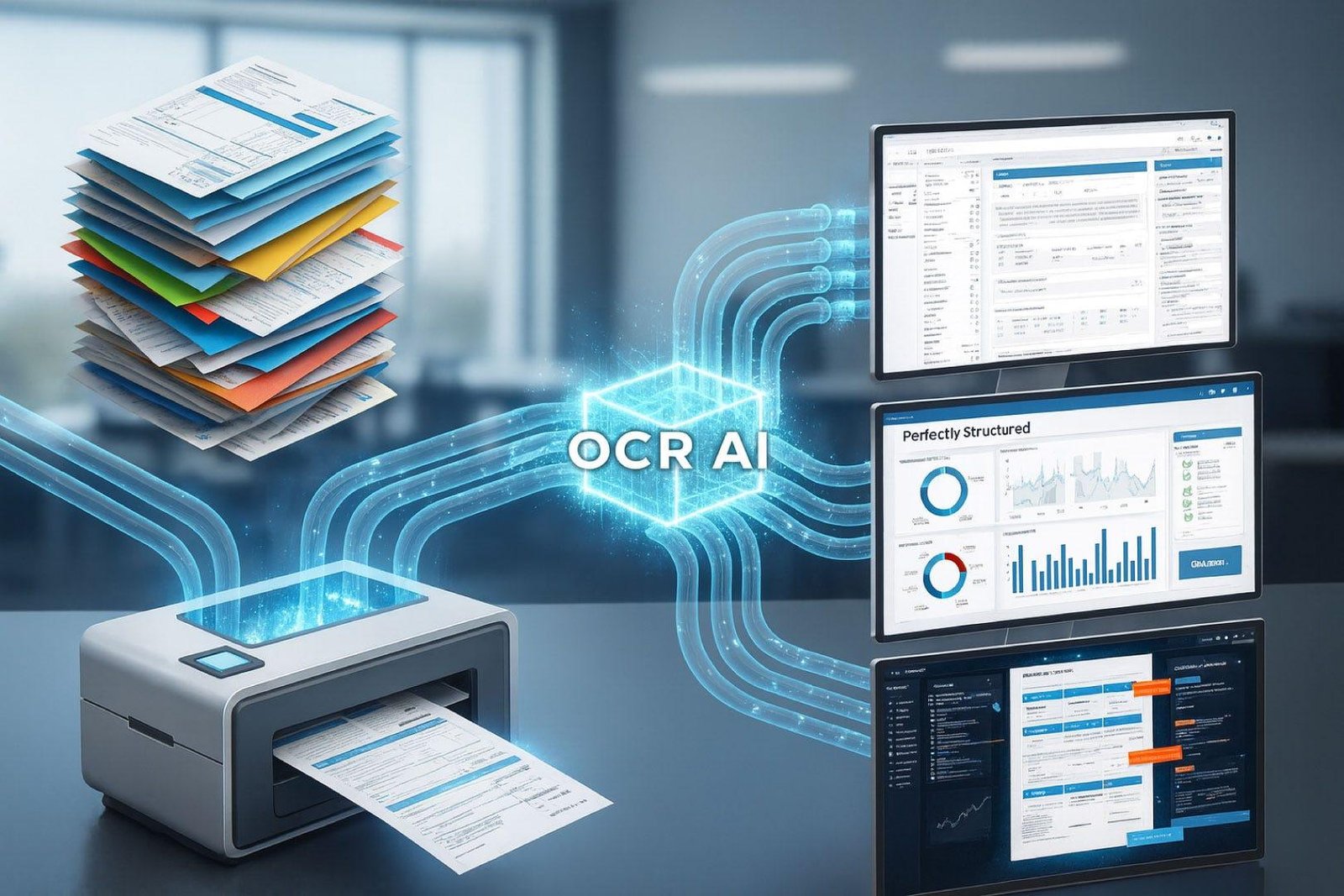
- Optical Character Recognition (OCR): Converts text in images and scanned pages into machine-readable text.
- Document classification: Categorizes files according to their content or document type.
- Information extraction: Identifies relevant fields such as dates, reference numbers, totals, and supplier details.
- Document summarization: Produces concise overviews of lengthy files.
- Semantic search: Finds relevant information based on meaning rather than only exact keyword matches.
- AI-powered question answering: Answers questions using information retrieved from the selected documents.
- Automated organization: Helps categorize, index, and retrieve files.
These capabilities can make document management more efficient when implemented with appropriate validation and access controls.
Real-world example: Purchase order processing
Consider a business receiving hundreds of purchase orders every month.
A document intelligence workflow could:
- Receive a digital PDF or scanned document.
- Extract its text using OCR where necessary.
- Identify the purchase order number, date, supplier, and line items.
- Validate extracted values against predefined rules.
- Flag missing or inconsistent information.
- Send the results for human approval.
- Store the document and extracted information for future retrieval.
The benefit is not simply faster document reading. It is a more structured process with fewer repetitive manual steps.
For sensitive business documents, organizations should also consider encryption, access permissions, retention policies, and whether document content is sent to external AI services.
2.5 AI for Data Analysis and Reporting
Data analysis frequently requires collecting information, cleaning datasets, calculating metrics, preparing visualizations, and explaining the results.
AI-assisted analysis can help users explore data more naturally.
For example, a manager might ask:
- Which products experienced the largest decline in sales?
- Which operational categories account for most delays?
- What trends appear in monthly expenses?
- Which records contain missing or inconsistent values?
- What are the main differences between this quarter and the previous quarter?
Depending on the tool and available data, AI can assist with calculations, spreadsheet formulas, charts, explanations, and report preparation.
Tools such as Microsoft Excel, Power BI, and AI-enabled spreadsheet applications can support these workflows.
Official websites: Microsoft Excel and Microsoft Power BI.
Example workflow
A company exports monthly transaction records from its business system. An AI-assisted analysis process can help categorize the data, calculate performance indicators, identify unusual changes, and prepare an initial management report.
However, AI-generated calculations must be validated against the underlying data. Incorrect assumptions, incomplete records, or misunderstood column meanings can produce misleading conclusions.
For business-critical reporting, use reproducible calculations, clearly defined metrics, and appropriate checks.
2.6 AI for Presentations and Visual Communication
Presentations are often time-consuming because they require more than writing. They involve structuring a story, selecting key messages, designing layouts, and choosing suitable visuals.
AI presentation tools can help transform a document, outline, or collection of notes into an initial presentation structure.
They can assist with:
- Creating slide outlines.
- Summarizing complex topics.
- Suggesting titles and section headings.
- Developing visual concepts.
- Generating illustrations and diagrams.
- Adapting content for different audiences.
- Improving the clarity of technical presentations.
Examples include Microsoft PowerPoint with Copilot and presentation-focused tools such as Canva.
Official websites: Microsoft PowerPoint and Canva.
Practical example
A technical team needs to present a new software implementation plan to senior management.
AI can help convert a detailed technical document into a concise presentation covering business objectives, current challenges, proposed solutions, implementation phases, risks, and expected outcomes.
The team can then refine the content, verify the figures, apply its corporate branding, and ensure that the presentation supports a clear decision.
2.7 AI for Meetings, Communication, and Collaboration
Meetings generate decisions, commitments, questions, and follow-up tasks. When these are not recorded properly, important information can be lost.
AI-enabled meeting tools can assist with transcription, summaries, action-item extraction, and meeting preparation.
Examples include supported AI capabilities in Microsoft Teams, Google Meet, and other collaboration platforms.
Official websites: Microsoft Teams and Google Meet.
A practical meeting workflow
Before a meeting:
- Prepare an agenda.
- Summarize relevant background documents.
- Identify decisions that need to be made.
During a meeting:
- Use authorized transcription or note-taking features where appropriate.
- Capture important decisions and unresolved questions.
After a meeting:
- Create a concise summary.
- Assign action items and deadlines.
- Draft follow-up communications.
- Update project records.
AI-generated meeting notes should be reviewed before distribution. Participants should be informed about recording or transcription, and the organization should follow applicable privacy and data-handling requirements.
3. Practical AI Productivity: Real-World Use Cases
Understanding individual tools is useful, but the greatest productivity improvements often come from applying them to complete workflows.
The following examples illustrate how AI can support everyday professional activities.
Use Case 1: Transforming a Long Document into an Action Plan
The challenge: An employee receives a lengthy technical report and needs to understand its findings quickly.
Traditional approach: Read the entire report, highlight relevant sections, write a summary, and manually prepare follow-up tasks.
AI-assisted approach:
- Upload the document to an approved AI tool.
- Ask for an executive summary.
- Request a list of important findings.
- Identify risks, deadlines, and unresolved issues.
- Ask for an action plan organized by priority.
- Verify each important conclusion against the source document.
Result: The employee begins with a structured overview and can focus reading time on the sections that matter most.
The AI does not eliminate the need to understand the report. It helps organize that understanding more efficiently.
Use Case 2: Automating Repetitive Email Work
The challenge: A professional spends a large portion of the working day responding to similar inquiries.
AI-assisted approach:
- Identify common email categories.
- Create approved response templates.
- Use AI to adapt the wording to the specific inquiry.
- Check names, dates, figures, and commitments.
- Review and send the response.
For example, AI can help draft responses concerning appointment scheduling, project updates, document requests, and routine customer inquiries.
For high-volume operations, an organization may connect AI to its communication systems through approved automation tools. Sending messages automatically should be limited to appropriate, well-tested workflows.
Use Case 3: Building a Searchable Company Knowledge Base
The challenge: Employees spend too much time searching manuals, procedures, policies, and historical documents.
AI-assisted approach:
- Gather approved source documents.
- Extract text from digital and scanned files.
- Organize the material into a structured repository.
- Index documents for search and retrieval.
- Allow employees to ask questions in natural language.
- Provide answers with references to supporting documents.
- Review access permissions and keep information current.
This type of system is commonly associated with Retrieval-Augmented Generation (RAG).
RAG combines information retrieval with an AI language model. Instead of relying only on the model’s general knowledge, the system retrieves relevant passages from a selected knowledge source and uses them to formulate an answer.
A well-designed RAG system can make internal information easier to access while improving traceability. However, it can still retrieve irrelevant passages or generate incorrect conclusions, so source references, access controls, and evaluation are important.
Use Case 4: Accelerating Software Development
The challenge: Developers spend significant time understanding existing code, writing repetitive functions, debugging errors, and preparing documentation.
AI-assisted approach:
- Explain unfamiliar code.
- Generate initial implementations of routine functions.
- Suggest possible causes of errors.
- Create test cases.
- Review code for maintainability issues.
- Generate technical documentation.
- Help plan refactoring work.
AI coding assistants can accelerate development, but their output should be treated as proposed code rather than automatically trusted code.
Developers should review security implications, test edge cases, check dependencies, and ensure that generated changes comply with project architecture and coding standards.
Use Case 5: Improving Personal Task Management
The challenge: A long task list makes it difficult to identify what deserves attention first.
AI-assisted approach:
- List the tasks that need to be completed.
- Specify deadlines and dependencies.
- Identify tasks with high business or personal impact.
- Group similar activities together.
- Reserve focused time for demanding work.
- Review progress at the end of the day.
An AI assistant can help turn an unstructured task list into a realistic schedule. The final plan should account for actual availability, interruptions, and the time required to complete each activity.
4. How to Write Better Prompts for Better Results
The quality of an AI response depends partly on how clearly the task is described and what information is provided.
A vague request such as “Write a report” leaves many important decisions unspecified. A well-structured prompt provides context, a clear objective, relevant inputs, constraints, and an expected output format.
The five-part productivity prompt framework
1. Role
Explain the expertise or perspective the AI should adopt.
2. Context
Describe the situation, audience, and relevant background.
3. Task
State exactly what needs to be accomplished.
4. Constraints
Specify limitations, required standards, tone, length, or information sources.
5. Output format
Explain whether the response should be a table, report, checklist, email, or step-by-step plan.
Example: A professional productivity prompt
“Act as an experienced business process improvement consultant.
Context: Our team spends too much time preparing weekly operational reports, collecting information from spreadsheets, writing summaries, and following up on unresolved tasks.
Task: Analyze the workflow described below and identify opportunities to use AI and automation to reduce unnecessary manual effort.
Requirements:
- Preserve existing business rules and approval procedures.
- Do not assume that every step can be automated.
- Identify risks related to data quality, confidentiality, and incorrect AI output.
- Recommend practical solutions that can be implemented incrementally.
- Separate quick improvements from longer-term projects.
Output:
- Current workflow summary.
- Main productivity bottlenecks.
- Recommended AI tools or capabilities.
- Proposed future workflow.
- Implementation steps.
- Risks and safeguards.
- Suggested performance indicators.
Clearly distinguish verified facts from assumptions. If essential information is missing, state what needs to be confirmed.”
This framework is useful because it directs the AI toward a specific business outcome rather than an abstract discussion of technology.
5. AI Automation: From Individual Tasks to Complete Workflows
One of the most important developments in practical AI is the shift from using AI for individual tasks to integrating it into complete workflows.
Writing a summary with AI is useful. Building a workflow that automatically collects approved documents, extracts relevant information, prepares a summary, and routes the result for review can deliver much greater operational value.
What is AI-powered workflow automation?
AI-powered workflow automation combines AI capabilities with software integrations and predefined business rules to complete repetitive activities with less manual intervention.
Traditional automation is particularly effective when tasks follow predictable rules. AI adds capabilities for interpreting unstructured information, classifying content, extracting meaning, and handling certain types of variability.
Together, they can support more flexible business processes.
Examples of practical AI automation
| Business activity | How AI can help | Human oversight |
|---|---|---|
| Email management | Categorize incoming messages and draft responses | Approve sensitive or unusual responses |
| Invoice processing | Extract invoice fields and identify discrepancies | Validate exceptions and approve payments |
| Customer support | Suggest answers using approved knowledge sources | Handle complex or sensitive cases |
| Document management | Classify documents and extract metadata | Verify important classifications |
| Report preparation | Summarize approved datasets and draft commentary | Validate calculations and conclusions |
| Project management | Summarize updates and identify overdue tasks | Confirm priorities and deadlines |
| Recruitment administration | Organize application information and assist with scheduling | Make fair, accountable hiring decisions |
How to implement an AI workflow
Start by documenting the existing process. Identify where employees repeatedly copy information, search documents, prepare similar communications, or perform predictable checks.
Next, determine which steps can be automated safely and which require human judgment.
A practical implementation sequence is:
- Document the current process.
- Identify repetitive, measurable activities.
- Select an appropriate AI capability.
- Define the input data and expected output.
- Establish validation and approval rules.
- Test the workflow using representative examples.
- Monitor errors, processing time, and operating costs.
- Expand gradually when the results justify it.
The objective is not to automate everything. It is to eliminate unnecessary work while maintaining quality, accountability, and control.
6. AI for Students, Professionals, and Business Owners
AI productivity is not limited to large enterprises. Individuals and small teams can also benefit from practical applications.
For students
AI can support learning by explaining difficult concepts, generating practice questions, organizing revision schedules, and providing feedback on writing.
Useful applications include:
- Breaking complex topics into simpler explanations.
- Creating flashcards from approved study materials.
- Generating practice quizzes.
- Summarizing notes for revision.
- Comparing different approaches to a problem.
- Planning study sessions around deadlines.
Students should use AI to improve understanding rather than simply obtain answers. They should also follow their institution’s rules regarding AI assistance and academic integrity.
For office professionals
Office employees can use AI to reduce time spent on repetitive communication and administration.
Examples include preparing meeting agendas, drafting routine emails, summarizing reports, creating checklists, and organizing project updates.
A particularly effective strategy is to create reusable prompts for tasks that occur every week. This improves consistency and reduces the effort needed to explain the same requirements repeatedly.
For entrepreneurs and small businesses
Small businesses often have limited time and resources for marketing, administration, customer communication, and research.
AI can help business owners:
- Prepare initial business plans.
- Develop website content.
- Draft product descriptions.
- Create marketing calendars.
- Analyze customer feedback.
- Organize frequently asked questions.
- Prepare initial financial summaries from validated data.
- Standardize routine business communications.
AI can help a small team accomplish more without immediately increasing its headcount. However, it does not replace specialist advice where legal, financial, regulatory, or other professional judgment is required.
For software developers and IT teams
Developers can use AI to accelerate routine coding, understand legacy systems, prepare technical documentation, and generate test scenarios.
IT teams can also explore AI-assisted log analysis, knowledge retrieval, incident summarization, and internal support.
For established software systems, changes must be evaluated against the existing architecture, compatibility requirements, security controls, and production dependencies. Faster code generation is valuable only when the resulting software remains reliable and maintainable.
7. Measuring Productivity: Is AI Actually Saving Time?
Using AI does not automatically mean becoming more productive.
A tool might generate an answer quickly but require substantial correction. An automated process might save employees time while introducing new review requirements. Another tool might improve quality without significantly reducing working hours.
To evaluate AI properly, measure the complete workflow rather than the speed of a single step.
Five useful productivity metrics
1. Time saved per task
Compare the average time required to complete a task before and after introducing AI.
For example, if a report previously required 60 minutes and now requires 35 minutes, the time saving is 25 minutes per report.
2. Output quality
Assess accuracy, completeness, consistency, readability, and compliance with requirements.
3. Error and rework rates
Track how often outputs require substantial correction or must be produced again.
4. Cost per completed task
Include relevant software costs, integration expenses, review time, and ongoing maintenance.
5. Adoption and user satisfaction
Determine whether employees can use the tool effectively and whether it genuinely improves their work.
A simple productivity calculation
Consider a hypothetical workflow that is performed 20 times each working day.
| Measurement | Before AI | After AI |
|---|---|---|
| Average processing time | 15 minutes | 9 minutes |
| Daily processing volume | 20 tasks | 20 tasks |
| Total daily processing time | 300 minutes | 180 minutes |
| Daily time saved | — | 120 minutes |
In this example, the workflow saves two hours per working day.
Across 22 working days, that represents 44 hours of processing time saved per month.
These figures are illustrative, not a promise of actual performance. A real implementation must account for review time, exceptions, implementation costs, and the quality of the output.
The lesson is straightforward: measure the improvement, verify the quality, and calculate the total cost before deciding whether to scale an AI solution.
8. Common AI Productivity Mistakes to Avoid
AI tools can create substantial value, but poorly planned implementations may introduce unnecessary complexity or risk.
Mistake 1: Using AI without a clear objective
Experimenting with new tools can be interesting, but adopting a tool without identifying the problem it solves often produces little lasting value.
Better approach: Define a specific objective, such as reducing report preparation time, improving document retrieval, or standardizing customer responses.
Mistake 2: Trusting every AI-generated answer
AI systems can generate incorrect facts, outdated information, unsupported conclusions, and plausible-sounding explanations.
Better approach: Verify important claims against reliable sources, especially for technical, legal, financial, medical, and safety-related decisions.
Mistake 3: Sharing confidential information carelessly
Uploading sensitive documents to an unapproved AI service can expose business or personal information.
Better approach: Review the service’s data-handling terms, use approved enterprise controls where appropriate, and avoid submitting confidential information unless the workflow has been authorized.
Mistake 4: Automating a poorly designed process
Automating an inefficient process may simply make inefficiency happen faster.
Better approach: Simplify the process, eliminate unnecessary steps, establish clear rules, and then automate suitable activities.
Mistake 5: Using too many disconnected tools
Managing numerous AI subscriptions and applications can create duplication, additional costs, and fragmented information.
Better approach: Begin with a small, complementary set of tools that fits your existing workflow.
Mistake 6: Ignoring the human review process
AI-generated documents, calculations, code, and business decisions can contain errors that are difficult to detect without appropriate review.
Better approach: Define which outputs can be used directly, which require routine approval, and which must receive specialist review.
Mistake 7: Measuring success by activity rather than results
The number of prompts submitted or AI-generated documents created does not necessarily indicate improved productivity.
Better approach: Focus on completed work, quality, time saved, customer outcomes, and reduced operational friction.
9. Building Your Personal AI Productivity System
A useful AI productivity system does not need to be complicated. The goal is to establish a small collection of reliable workflows that support your regular activities.
Step 1: Identify your three biggest time-consuming tasks
Review a typical working week and identify activities that consume disproportionate time.
Examples include repetitive emails, document review, report preparation, meeting notes, research, and routine data analysis.
Step 2: Match each task with the right capability
Do not begin by selecting a brand or subscription. Start with the required capability.
| Your requirement | AI capability to consider |
|---|---|
| Drafting and editing | General-purpose AI assistant or writing assistant |
| Researching a topic | AI search and research tools |
| Understanding long documents | Document summarization and question answering |
| Extracting text from scans | OCR and document processing |
| Analyzing spreadsheets | AI-assisted data analysis |
| Creating presentations | AI presentation assistance |
| Managing meetings | Transcription and meeting summarization |
| Repetitive cross-application tasks | Workflow automation and integrations |
| Finding information in internal documents | Enterprise search or a permission-aware RAG system |
Step 3: Create reusable instructions
Save prompts for recurring tasks.
For example, a weekly reporting prompt might define the report structure, required metrics, audience, comparison period, and rules for handling missing data.
A reusable prompt reduces repeated setup work and helps maintain consistency.
Step 4: Establish quality checks
Determine what needs to be checked before an output is used.
For a report, this might include numerical accuracy and source references. For an email, it might include names, dates, and commitments. For code, it might include testing and security review.
Step 5: Review and improve every month
Assess whether the workflow is still useful. Remove unnecessary steps, refine instructions, and reconsider the tool if it does not deliver sufficient value.
A small number of well-maintained workflows will often be more useful than a large collection of tools that are rarely used.
10. The Future of Practical Productivity: From AI Assistants to AI Agents
The next stage of AI productivity involves systems that can do more than respond to individual instructions.
AI agents are designed to pursue defined objectives by performing sequences of actions, using available tools, observing results, and adjusting their approach within configured limits.
For example, a business workflow might involve collecting information from approved sources, organizing it, drafting a report, checking for missing information, and presenting the result for approval.
Such workflows can reduce the amount of manual coordination required between individual applications.
However, agent capabilities and reliability vary significantly. Not every task is suitable for autonomous execution.
What will this mean for businesses?
Several developments are likely to shape practical AI adoption:
- More integrated workflows: AI will increasingly operate within existing productivity applications.
- Document-centered intelligence: Businesses will make greater use of searchable, structured organizational knowledge.
- More natural interfaces: Users will increasingly interact with complex systems through conversational instructions.
- Context-aware assistance: AI tools will be able to use authorized information about a user’s task or project.
- Greater emphasis on governance: Organizations will need clear policies covering permissions, monitoring, accuracy, and accountability.
- Human-directed automation: Many workflows will combine automated execution with human review at important decision points.
The most successful organizations will not necessarily be those using the greatest number of AI tools. They will be those that combine appropriate technology, reliable information, effective processes, and skilled people.
11. A Practical 30-Day AI Productivity Implementation Plan
For individuals and small teams, a phased approach is often more effective than attempting to transform every workflow at once.
Week 1: Discover opportunities
Document repetitive activities and identify three potential use cases.
Estimate the time currently required, the frequency of each task, and the consequences of errors.
Choose one low-risk task as the initial pilot.
Week 2: Introduce and test an AI workflow
Select a suitable tool and create clear instructions.
Test the workflow using representative examples, including difficult cases and incomplete inputs.
Compare its output with the existing process.
Week 3: Improve reliability
Refine prompts, add validation rules, and document the review procedure.
Train the people who will use the workflow.
If the task involves confidential data, confirm that the selected service and configuration meet the organization’s requirements.
Week 4: Evaluate and expand
Measure time saved, quality, correction rates, and overall cost.
If the pilot demonstrates meaningful benefits, introduce it more broadly.
If it does not, identify the reasons before investing further.
Use the results to select the next opportunity.
A successful AI implementation should produce a repeatable improvement, not simply an impressive demonstration.
12. Frequently Asked Questions About AI Tools and Productivity
What are the best AI tools for productivity?
The best tool depends on your objective. General-purpose AI assistants are useful for writing, reasoning, and planning. Research tools help organize and investigate information. Document AI supports OCR and document analysis. Data tools assist with spreadsheets and reporting, while automation platforms connect tasks across applications.
Choose tools based on your actual requirements, available integrations, privacy needs, and budget.
Can AI improve productivity for small businesses?
Yes. Small businesses can use AI to assist with customer communication, content creation, document processing, market research, reporting, and routine administration.
The most effective starting point is usually a repetitive task with clear requirements and measurable results.
Can AI replace repetitive office work?
AI can automate or assist with many repetitive activities, but the level of automation depends on the task, available data, and consequences of errors.
Some workflows can be automated extensively, while others still require human judgment, approval, or specialist knowledge.
Is AI-generated content always accurate?
No. AI-generated content can contain factual errors, unsupported claims, and incorrect interpretations.
Important information should be checked against reliable sources, and business-critical outputs should undergo appropriate validation.
How can I use AI without spending too much money?
Start with tools that offer capabilities suitable for your current needs. Use free or existing organizational subscriptions where appropriate, and avoid paying for overlapping features before you have demonstrated their value.
Evaluate the total cost of ownership, including subscriptions, integration, training, review, and maintenance.
Is it safe to upload company documents to AI tools?
Safety depends on the tool, its configuration, the information involved, and the organization’s policies.
Review data-retention terms, access controls, confidentiality requirements, and whether submitted information may be used to improve the service. Use only approved solutions for sensitive company information.
What is the difference between AI and automation?
Traditional automation executes predefined instructions and rules. AI can help interpret information, generate content, classify data, and handle some less structured tasks.
Combining AI with conventional automation can create flexible workflows, but both require suitable controls and testing.
How should a company begin adopting AI?
Start by identifying a specific business problem, measuring the current process, selecting a low-risk pilot, establishing safeguards, and evaluating the results.
Expand only when the benefits are demonstrated and the risks are appropriately managed.
Conclusion: Make AI Work for You
AI is most valuable when it moves beyond experimentation and becomes a practical part of everyday work.
It can help people write more effectively, understand complex documents, analyze information, communicate clearly, and reduce repetitive administrative tasks. For businesses, it can also support more consistent processes, better access to organizational knowledge, and more efficient operations.
But lasting productivity does not come from AI alone.
It comes from choosing the right tools, asking better questions, organizing information properly, establishing reliable workflows, protecting sensitive data, and applying human judgment where it matters.
Start small. Choose a real problem. Test a practical solution. Measure the results. Improve the process.
Over time, these incremental improvements can create a more efficient, informed, and capable way of working.
The future of productivity is not simply about doing more work. It is about using intelligence, technology, and human creativity to do the right work better.
Recommended Call to Action
Ready to make AI part of your daily workflow?
Identify one repetitive task you perform every week and explore how AI can help you complete it more efficiently. Start with a simple experiment, measure the results, and build from there.
The next productivity breakthrough may begin with one small change.
Comments are closed